
Know before you hit the limit.
Notchlet shows your Claude Code, Codex, Cursor and OpenCode usage in the notch, with the time until each limit resets.
Free and open source
Download for macOSmacOS 14 or later
Works with
 Claude Code
 Codex
Codex Cursor
 OpenCode
Usage and reset times
See the limits your provider reports and when each one resets.
Already signed in
Notchlet uses the provider logins on your Mac.
Free and open source
MIT licensed. Read the code or build it yourself.
A native macOS app
Usage lives at the top of your screen while you work.
Usage history and agent tools.
Track your usage, catch pasted secrets and know when an agent needs you.
Browse your usage history
Daily activity, token counts and cost estimates, broken down by provider and model.
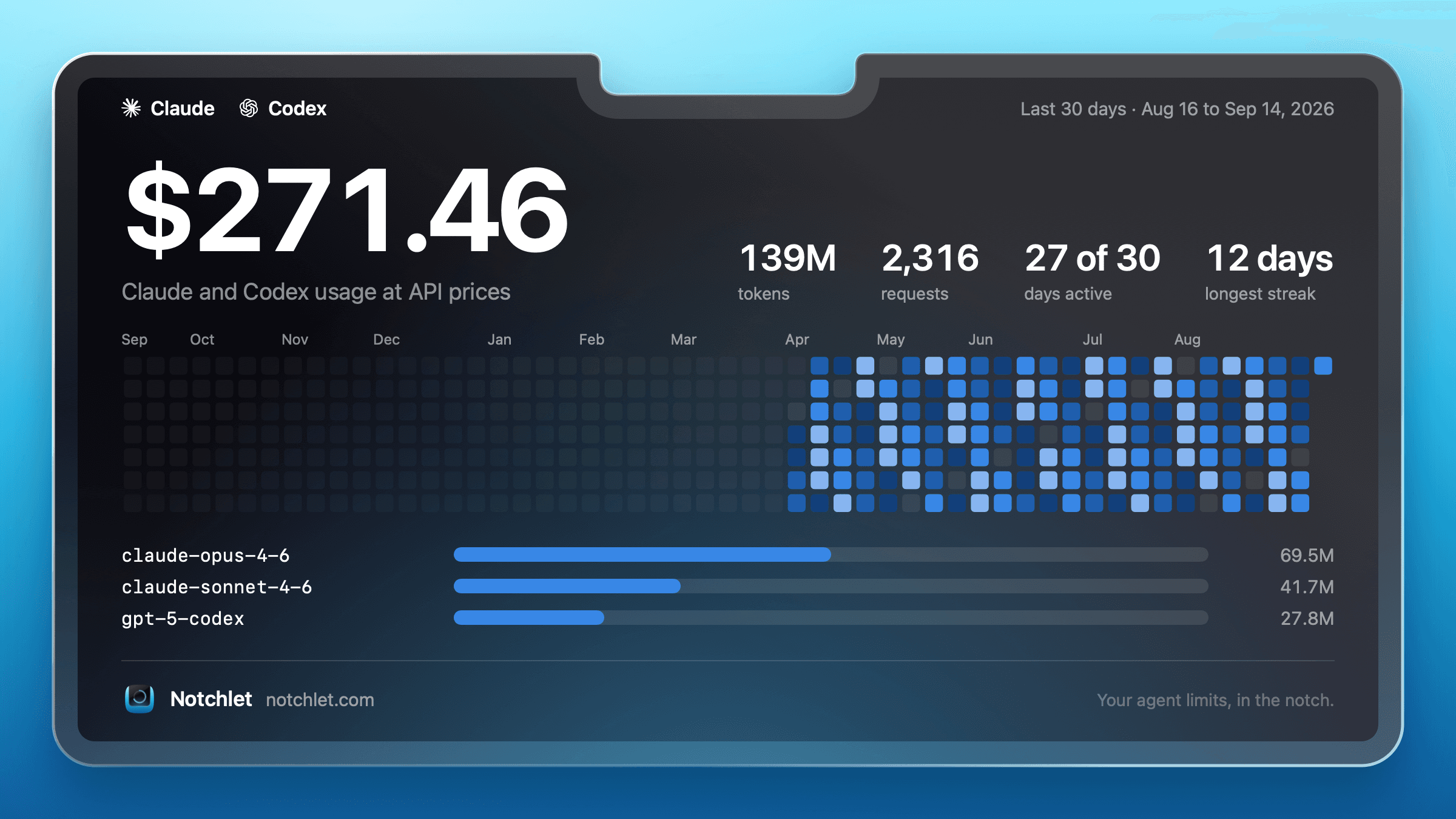
Share your usage
Save your graph as a PNG or copy it straight into a post.
See your usage pace
Check whether your usage is on track to last until the next reset.
Secret scanning
Find secrets pasted into Claude Code and Codex chats. Scans run locally on Apple silicon Macs.
Agent notifications
A blue outline means an agent finished its turn. Amber means it needs permission or an answer.
Use your existing logins
Connect the tools already on your Mac. No Notchlet account needed.
Illustrations show sample data. Cost estimates use API list prices and are not your subscription bill.
Roadmap
Planned features.
Global leaderboard
Compare your usage with other Notchlet users.
AI personality
Discover your AI personality from how you use your agents.
Team leaderboard
Battle your teammates on the usage leaderboard.
Connect more providers
Track more of your AI tools in Notchlet.
Angry counter
Count the times you lose your temper with a model.
Have a feature in mind? Add it on GitHub.
Open an issueFree and open source.
All features are included. There is no paid tier.
Want to support development? Sponsor me on GitHub.
Questions
Does it work on a Mac without a notch?
Yes. Notchlet adds a virtual notch at the top of the screen, including on external displays. macOS 14 or later is required.
Do I need an account or API key?
You do not need a Notchlet account. It uses the provider logins already on your Mac. Cursor and OpenCode also support a token or key added in settings.
Does checking usage use my allowance?
No. Notchlet reads your provider's usage data. It does not send a prompt to a model.
Which tools does it support?
Claude Code, Codex, Cursor and OpenCode Go, with up to three providers visible at once. OpenCode Zen credits are not supported.
What does Notchlet send from my Mac?
Notchlet contacts your providers to retrieve usage data and checks for app updates. Release builds also send anonymous product analytics, which you can turn off in settings. Usage numbers, chat contents, credentials and secret findings are not included in analytics. Builds from source send no analytics.
Where does my usage history come from?
It comes from your tools' logs and usage records: Claude Code transcripts, Codex sessions, OpenCode's local database and Cursor's usage export. Cost is estimated at API list prices and is not your subscription bill.
Put your AI usage in the notch.
Free and open source. macOS 14 or later.